Introducing ProtoPie AI: Effortless Start, Flawless Finish (Now in Beta)
Generate interactions with AI. Refine them into high-fidelity prototypes. All without losing control.

.png?fm=webp)
We are thrilled to announce ProtoPie AI–now available in open beta starting February 9, 2026, for Basic, Pro, and Enterprise plan users.
If you’ve explored AI prototyping tools, you’ve probably noticed a pattern: they help you start fast, but finishing properly becomes the challenge. AI generates something quickly, but when you need to refine behavior, adjust logic, or scale complexity, you hit a wall.
ProtoPie AI was built to solve that problem. It accelerates interaction setup while keeping you in control–helping teams ship better high-fidelity prototypes ready for user testing faster, not just something on screen faster.
Reduce Prompt Fatigue: Editable Blueprints, Not Locked Outputs
Most AI prototyping tools force a trade-off: speed or control. You either get quick outputs you can’t edit, or you’re stuck re-prompting endlessly to get closer to what you actually need.
ProtoPie AI removes that ceiling.
Instead of building AI as a separate layer, we integrated directly into ProtoPie’s existing interaction system. AI-generated behavior uses the same trigger-and-response logic you’d use if building manually. Every interaction is fully editable, reviewable, and extendable. No locked outputs.
Here’s the difference:
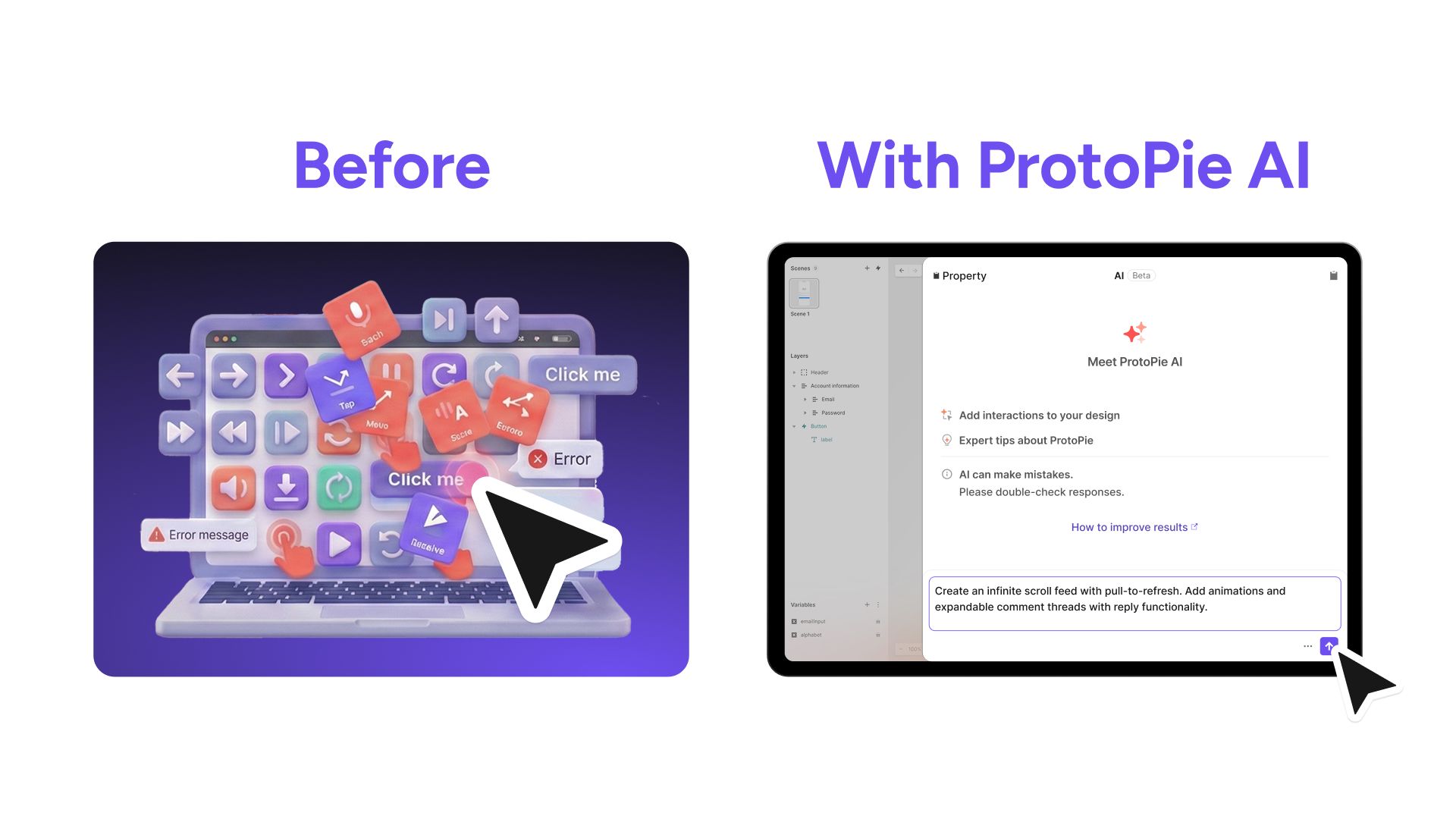
- Before: Manually configure dozens of triggers for a news feed–scroll behavior, pull-to-refresh logic, like button states, comment expansion, loading indicators. 5+ hours of setup before refining the actual experience.
- With ProtoPie AI: Describe in plain language: “Create an infinite scroll feed with pull-to-refresh. Add animations and expandable comment threads with reply functionality.” AI generates the complete structure in minutes. You spend time perfecting the scroll physics and animation timing–the details that make it test-ready.
.jpg?fm=webp)
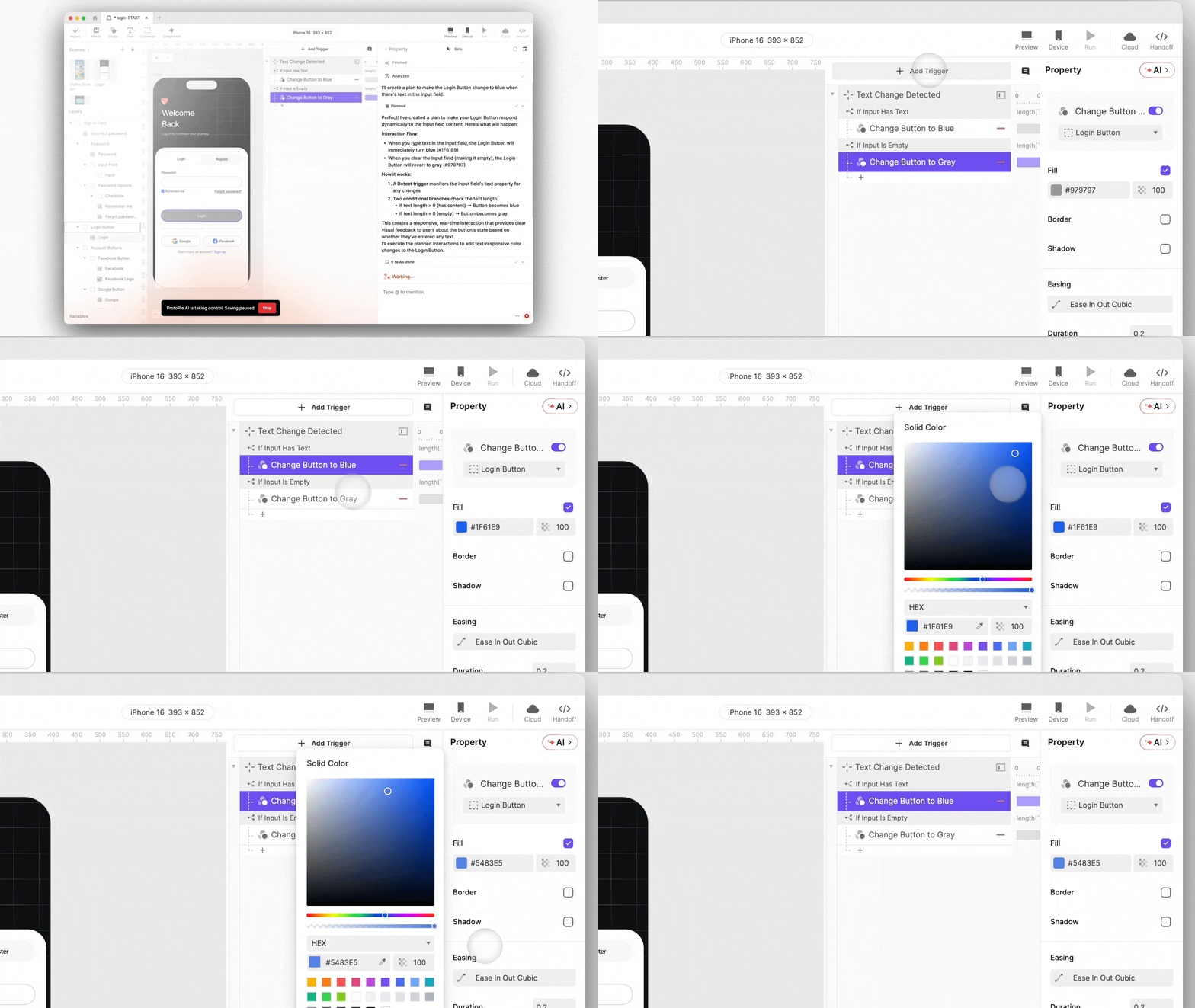
When AI generates interactions, you see exactly what is created–triggers, responses, conditions–laid out visually on the canvas. If something isn’t quite right, directly adjust it using ProtoPie’s standard editing interface. Change the timing. Add another conditional branch. Reorder the sequence.
As fidelity increases, nothing needs to be rebuilt. As complexity grows, nothing hits a limit. AI helps you start. Manual control lets you finish properly.
Cut the Learning Curve, Accelerate Time-to-Market
Every prototyping tool has a learning curve–whether you’re getting started for the first time or tackling a new type of interaction you haven’t built before. Figuring out the right approach, understanding which features to use, or translating your idea into working logic can slow you down.
ProtoPie AI makes this easier.
Instead of searching through documentation or trial-and-error, you can describe what you want in plain language. “When email verification fails, shake the field and show error.” AI translates your intent into ProtoPie’s interaction structure–showing you how it works as it builds.
A junior designer prototypes their first onboarding flow using natural language. AI generates the structure visually–triggers, responses, timing. Now they experiment: adjust shake intensity, refine timing, perfect transitions. They’re learning ProtoPie by prototyping with it, not studying it in isolation.
AI handles the initial interactions setup–like having a private tutor on your side. Users can even ask ProtoPie AI questions about features and formulas, so not only do they ‘learn by doing,’ but they also get guidance as they build.
Whether your team is new to ProtoPie or already experienced, AI accelerates your path to validated high-fidelity prototypes. That means faster prototyping cycles, earlier stakeholder feedback, and reduced design-to-dev friction–all translating to shorter time-to-market.

End the Grunt Work That Drains Resources
Setting up complex interactions manually is time-consuming. Configuring triggers across multiple layers. Writing formulas for condition logic, etc.
These tasks aren’t creative, they’re just necessary. And they drain designer hours that could be spent on work that actually moves the product forward.
ProtoPie AI automates the heavy lifting.
Real scenario: E-commerce cart flow
- Before: Designer manually creates separate interactions for empty cart, items added, promo code applied, promo code invalid, checkout initiated, payment processing, success confirmation. That’s at least 7 transition logic between each state. Hours of setup and work.
- With ProtoPie AI: “Add a shopping cart interaction that updates item count on add, applies promo codes with success/error feedback, and includes a checkout flow with loading and confirmation states.” AI generates the complete flow with all conditional logic. The designer spends time perfecting the micro-interactions and error messaging–the details that make it high-fidelity and ready for real user testing.
The business impact: Design teams handle more complex prototyping scenarios without expanding headcount. Testing happens earlier in the development cycle, catching costly issues before engineering.
AI You Can Trust–On Your Terms
We designed ProtoPie AI to meet real-world enterprise requirements from day one.
Full control over AI usage: AI is opt-in and can be disabled at any time. ProtoPie works exactly the same without it—crucial for teams in regulated industries. For Enterprise customers, AI features are disabled by default and can be activated by your workspace admin.
Complete editability: All AI-generated interactions remain fully editable using ProtoPie’s standard interaction system. You can refine, extend, or revert any AI output.
Customer data protection: Enterprise users' data is not used to train AI models, including prompts, images, or interaction designs. For other plans, limited usage data may be used to improve ProtoPie AI only when the feature is enabled. See our ProtoPie AI Terms for details.
Security, transparency, and control aren’t afterthoughts. They’re foundational.
One Interaction System. Built to Scale.
This is what sets ProtoPie AI apart.
UI-focused AI tools generate screens and transitions–but editing capabilities are limited, and complex interactions hit a ceiling fast.
Code-generation tools produce functional outputs–but when something’s wrong, you’re stuck re-prompting or diving into code.
ProtoPie AI generates interaction logic you can see, edit, and scale. From simple tap interactions to sophisticated multi-scene flows with variables, sensors, and conditional branching. AI speed meets the precision required for high-fidelity interaction design. No ceiling. No compromise.
What to Expect from ProtoPie AI Beta
AI-assisted interaction creation:
- Create interactions using natural language prompts
- Generate triggers, responses, and conditional logic
- Context-aware of your current scene, selected layers, and existing variables
- Real-time visualization on canvas during execution
- Every generated interaction is fully editable
- Ask questions about ProtoPie Studio features
- Search across official documentation
- Get help writing formulas
- Access resource recommendations (docs, tutorials, videos)
A note on beta: ProtoPie AI is launching in open beta, which means we’re continuously refining and improving the experience based on real-world usage. You’ll see enhancements roll out in the coming weeks and months as we learn from how teams actually use AI in their workflows.
See ProtoPie AI in Action
ProtoPie AI represents an important shift, not just faster prototyping, but better prototyping at scale. High-fidelity and test-readiness is the metric that matters.
Ready to experience it yourself? Our team is standing by to walk you through a personalized demo and answer any questions you may have.