Simulating Money Transfers for Fintech Prototyping
Achieve high-fidelity fintech prototyping with ProtoPie. Move beyond static frames to create a banking app UX that simulates real money transfers and logic.


Overview
- The Challenge of Achieving Realism Like the Final Branded Product
- Simulating Realistic Money Transfers in ProtoPie
- Start Simulating Your Realistic Fintech App Prototypes With Real-World Banking Actions
The Challenge of Achieving Realism Like the Final Branded Product
When fintech app designers validate their customer-facing products, simulating actions like transferring money is nearly impossible without a high-fidelity tool that supports it. And the worst part? Almost no tool lets designers test prototypes with real-world scenarios like this.
This is exactly where fintech prototyping needs to evolve—from “looks right” to “behaves right.”
Testing is always complex, so product designers often stick to simpler scenarios in user sessions, with no realism at all.
The result is less visibility and clarity among internal stakeholders about what the final product will actually look like (your banking app UX).
Figma looks great, and vibe coding gets you there fast, but neither delivers the level of realism you need to validate your design under real-world conditions.
One action that is both basic and essential is transferring money. How do you test this action to ensure it reflects exactly what a real user would experience?
Simple: ProtoPie’s ecosystem for high-fidelity prototyping delivers full realism, allowing you to test real-world banking scenarios with the same level of detail as if you had the final product in your hands.

Simulating Realistic Money Transfers in ProtoPie
In fintech, "User Experience" is synonymous with "Trust."
A static screen can’t replicate the emotional weight of a real banking action. That’s how you get false positives in UX research: designs that “look good” in testing but don’t “feel safe” in the real world.
How a Simulated Money Transfer Works in ProtoPie
For example: you have $100 in your account, transfer $10, and have $90 remaining. That kind of “feel-it-on-your-phone” realism is the bar for fintech prototyping.
You might think you'll need to fake it with static images or frames, right?
Not at all. ProtoPie lets you build and test this directly on your phone in a fully interactive way.
When using Figma, for example, "$100" is just a text label. In ProtoPie, you create a Variable (let’s call it balance). You set the initial value of balance to 100. You create a second variable called transferAmount to store whatever the user types.
ProtoPie’s formula engine, think Excel, but for prototypes, runs the calculation the moment the user hits “Transfer”:
$newBalance = balance - transferAmount$
This dynamic calculation makes the prototype real, helping you test it under different circumstances and even test edge cases.
Expanding Realism With Dynamic Inputs
Traditional design tools often fail in fintech because they lack support for actual user input, forcing designers to create "fake frames" for different journeys.
With fintech prototyping, the prototype has to react to real inputs (numbers, states, conditions), not just display them.
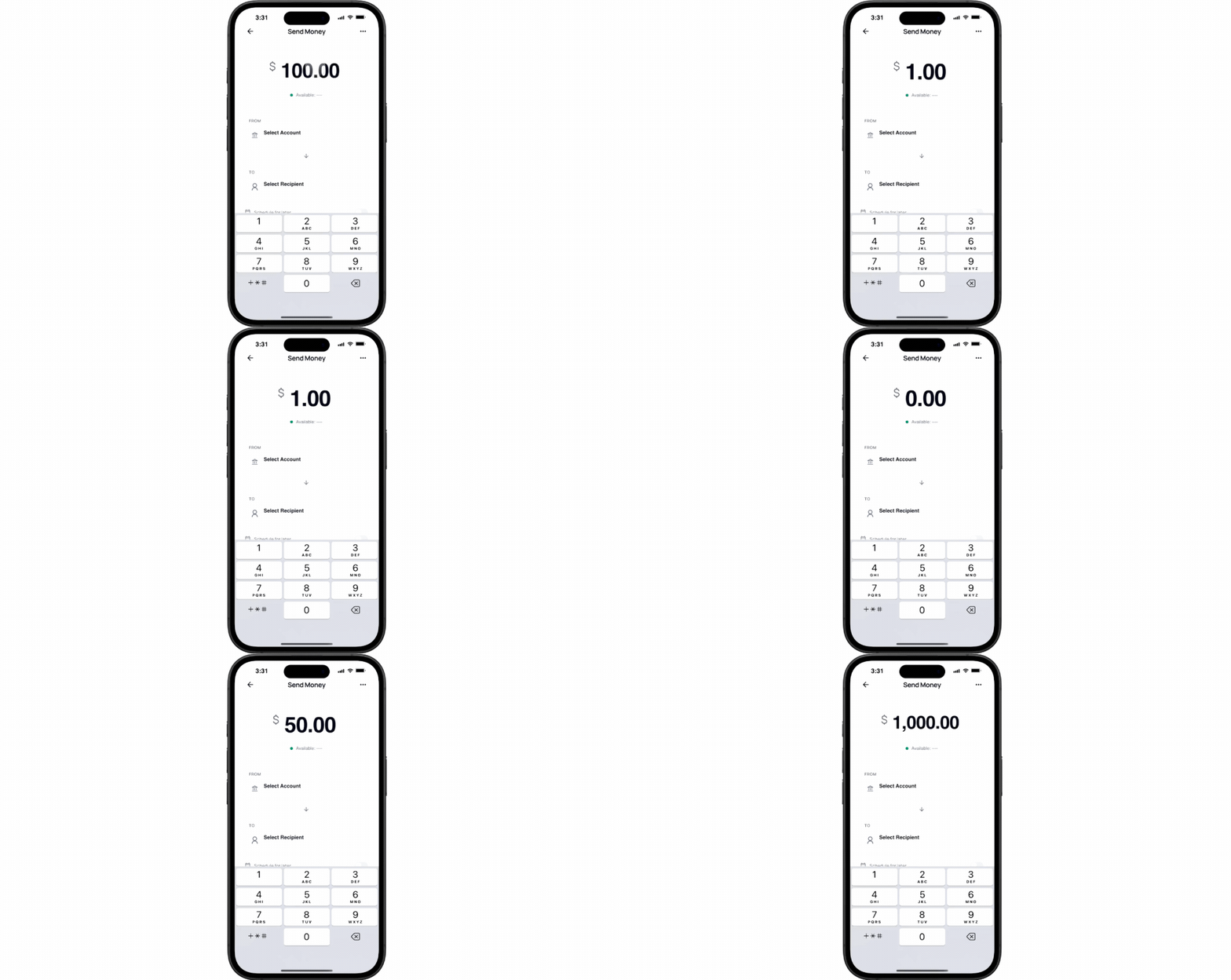
ProtoPie allows you to replace static text labels with text input options, making your typing interactions as dynamic as possible in your banking app UX (banking app prototype ux), enabling users to type numbers and see the logic, like a balance update, calculated in real-time.
To make the change visible on the phone, you use a sequence of interactive building blocks:
- Tap Trigger: Detects when the user clicks "Send."
- Assign Response: Updates the
balancevariable by subtracting the transfer amount. - Text Response: Refreshes the on-screen value automatically.
Creating a Smooth User Journey for Money Transfers
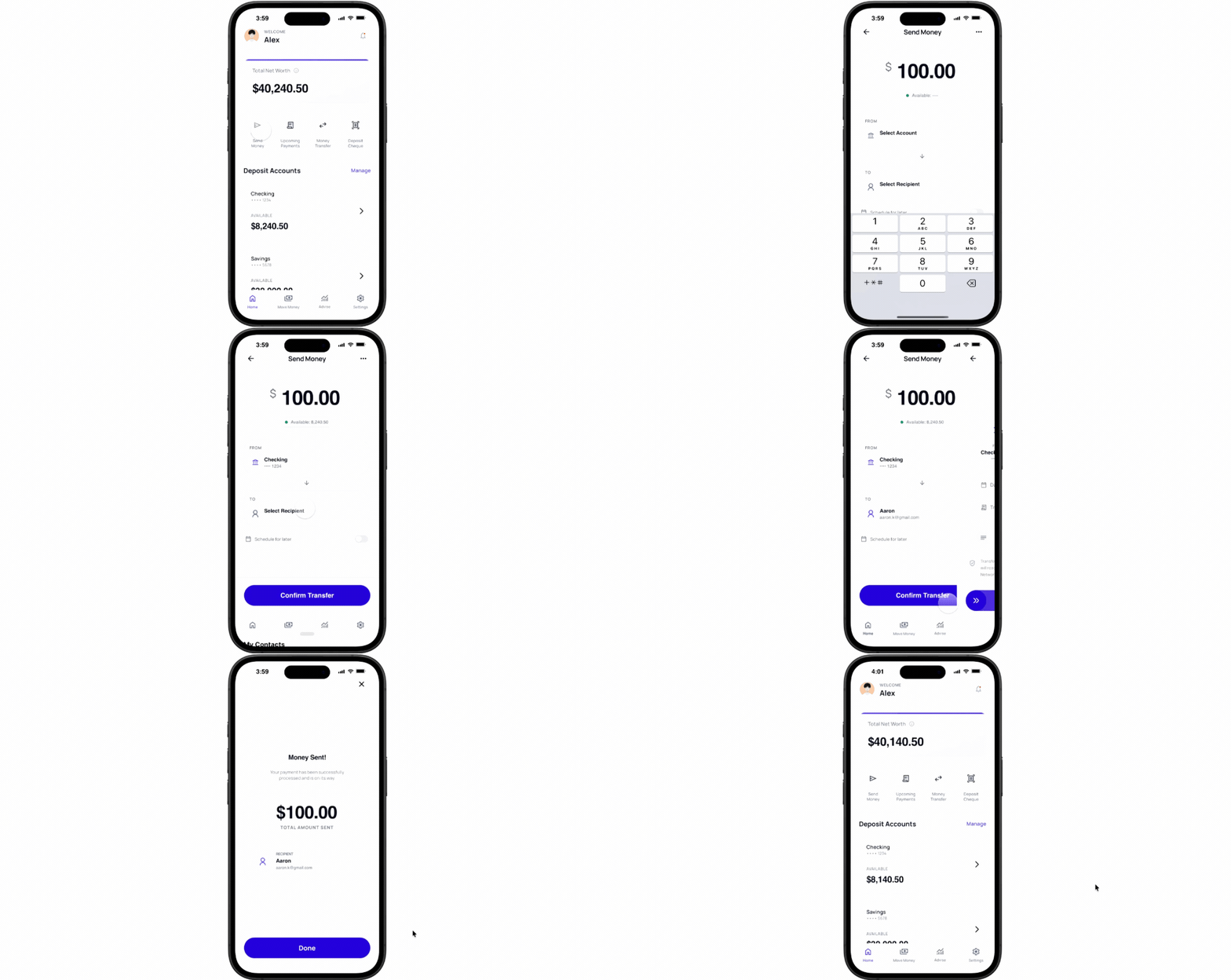
Simulating just a money transfer alone isn't enough. In real life, a user goes through an entire journey before completing the action of sending money. That same flow should be replicated within a designer's prototype to ensure accurate testing and validation.
This process helps designers spot edge cases and blind spots. Before a user hits "Send," they have already moved through several steps: selecting a recipient, entering an amount, reviewing transaction details, confirming security checks, and finally executing the transfer. Each step adds interactions, micro-decisions, and potential friction points that can break the user experience.
With so many conditions and possible routes a user can take to complete a transfer, how do you ensure the journey feels seamless and friction-free?
What happens if they enter an amount greater than their balance?
How does the interface respond to a failed Face ID attempt?
What feedback does the user receive if the network connection drops mid-transaction?
With ProtoPie’s complete ecosystem, you can test every edge case, so you are never left in the dark. Blind spots become visible.
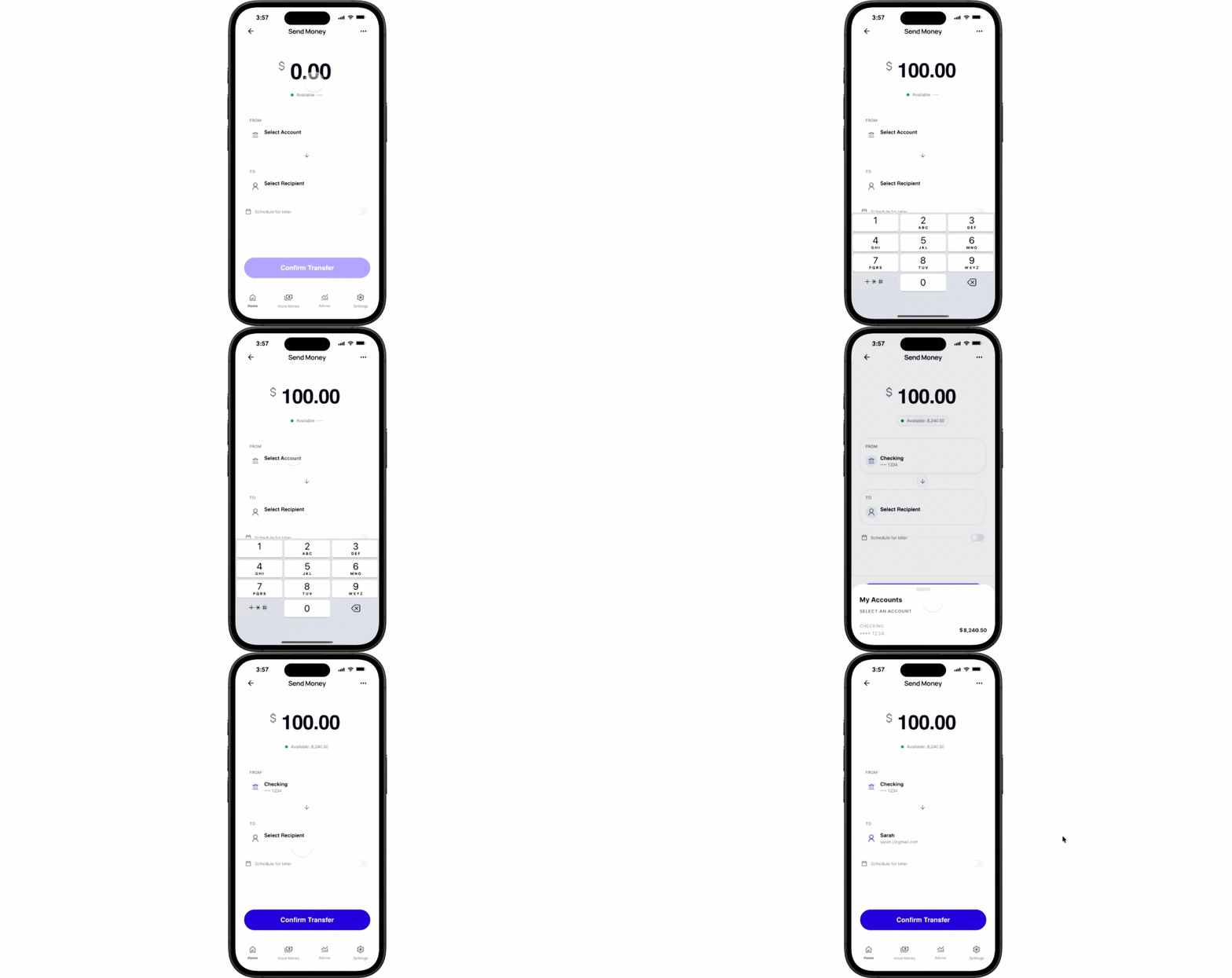
You get full visibility into every step until the real-world banking action is complete.
The Moment of Truth: Simulating Money Transfers With Full Realism in ProtoPie Player
Once you’ve finished creating your interactions in ProtoPie Studio, you have two other powerful testing environments: share and test via ProtoPie Cloud, and experience the prototype in ProtoPie Player.
By using ProtoPie Cloud, designers can send a link to stakeholders that works in any browser. With ProtoPie Player, designers can test the prototype on their own devices, so they understand what the final product will look like across every scenario, with no faking needed.
Start Simulating Your Realistic Fintech App Prototypes With Real-World Banking Actions
While most fintech customer-facing apps fall short when it comes to validation in real environments, yours can deliver full realism, with interactive logic that helps you uncover potential edge cases.
Studio lets you build, Cloud lets you share and test, Connect integrates hardware, and Player lets you experience your prototype exactly as the final product will look and feel.

The Complete ProtoPie Ecosystem: All on the Pro Plan
With the Pro plan (only $59/month), you can leverage ProtoPie's complete ecosystem to create and test real-world banking actions in your prototype.

Start now with a ready-to-use prototype!
Click the first button to download ProtoPie Studio.
Then click the second button to open ProtoPie Gallery.
Choose a ready-to-use template, open it, click the prototype file name, and select ‘Open in Studio’ to open the prototype on your desktop and explore the interactions.
.png?fm=webp)

